

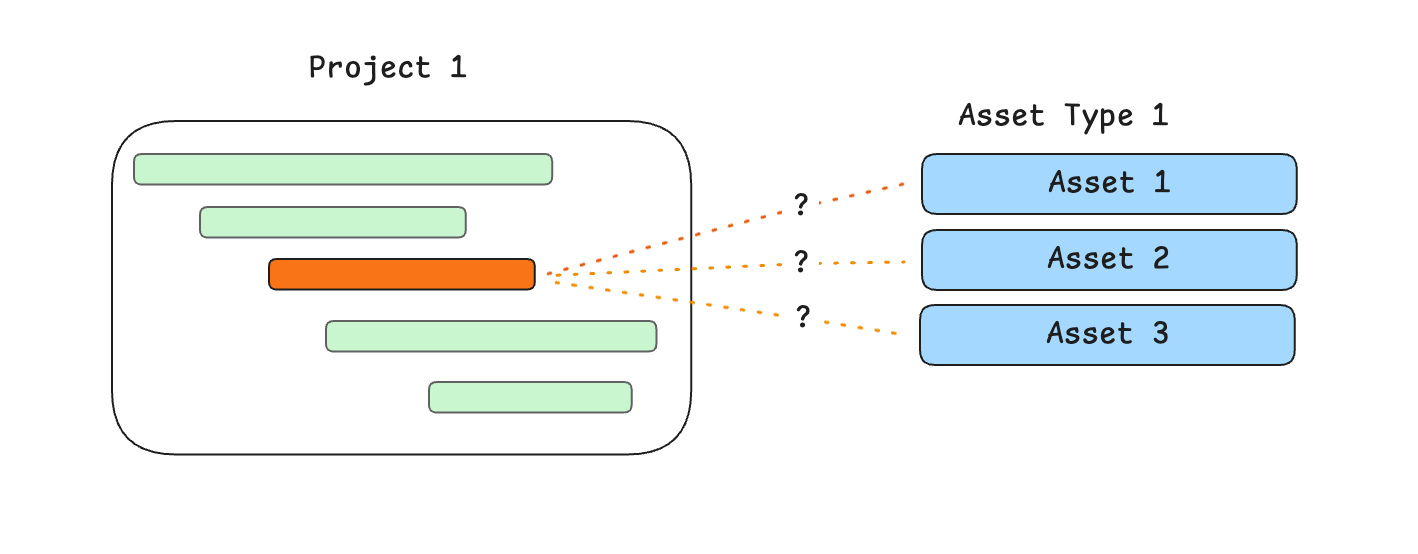
Add a placeholder
- Open the allocation order.
- Press Add assets.
- Select the asset type.
- Under Placeholders, press + to add one line for that type. You can add up to 100.
- Close the panel. The line shows Placeholder until you assign an asset.
Assign the asset
- On the allocation order, select the placeholder name on the line.
- The menu title is Assign asset.
- Select the asset.
Crane example
The Portugal job needs one tower crane from 1 January to 31 March. The machine is not chosen yet. The type is.- Create the allocation order on the project.
- Add one placeholder for the tower crane asset type.
- Link the allocation start to the project start, and the end to the project end. See Dependent dates.
- When you know which crane will go, select the placeholder and assign that crane.